> For the complete documentation index, see [llms.txt](https://docs.virbe.ai/llms.txt). Markdown versions of documentation pages are available by appending `.md` to page URLs; this page is available as [Markdown](https://docs.virbe.ai/getting-started/introduction-to-virbe-platform/virbe-hosted-launch.md).
# Virbe-hosted launch
Launching Virtual Being as a Virbe-Hosted solution is designed for businesses looking for a turnkey solution. With just a few clicks, you can launch your virtual being directly on our platform.
Getting started with Virbe-hosted virtual beings is straightforward and efficient. By following these simple steps, you can have your virtual being up and running in no time:
### 1. Sign Up to the Virbe Platform
**Create Your Account**
Begin by visiting the[ Virbe website](https://virbe.ai/) and [**signing up for an account**](https://hub.virbe.app/signup)**.** You’ll need to provide some basic information to get started.
Create account
**Name Your Organization**
Once your account is created, it’s time to name your organization. This is how your team and your virtual beings will be identified on the Virbe platform.
Name your organization
**Invite Team Members (optional)**
Collaboration is key. Invite your team members to join the platform so they can contribute to creating and managing your virtual being. You can add or remove team members at any time.
### 2. Launch a New Being
**Getting Started**
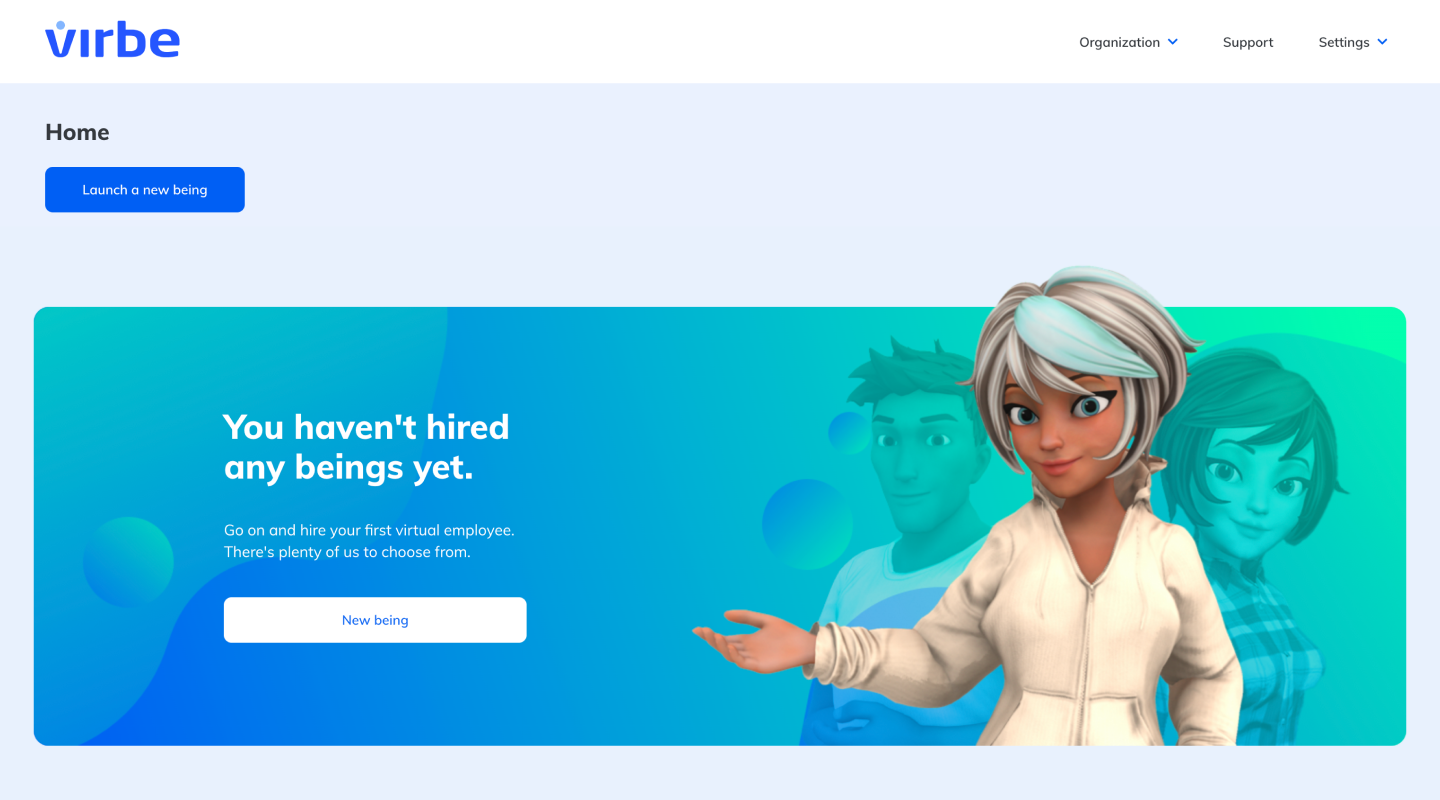
After the initial setup of the account, you'll land in Virbe Hub – a place with an overview of all your virtual beings. Each virtual being created will have a dedicated dashboard launched, where you'll manage all the important parts of its operation.
Virbe Hub Home: Empty
At the beginning you won't have any virtual beings created yet (or hired, as we call it). To hire your first digital assistant, click on “Launch a new being”, which will start a straightforward 2-step process:
#### Step 1: Preferences
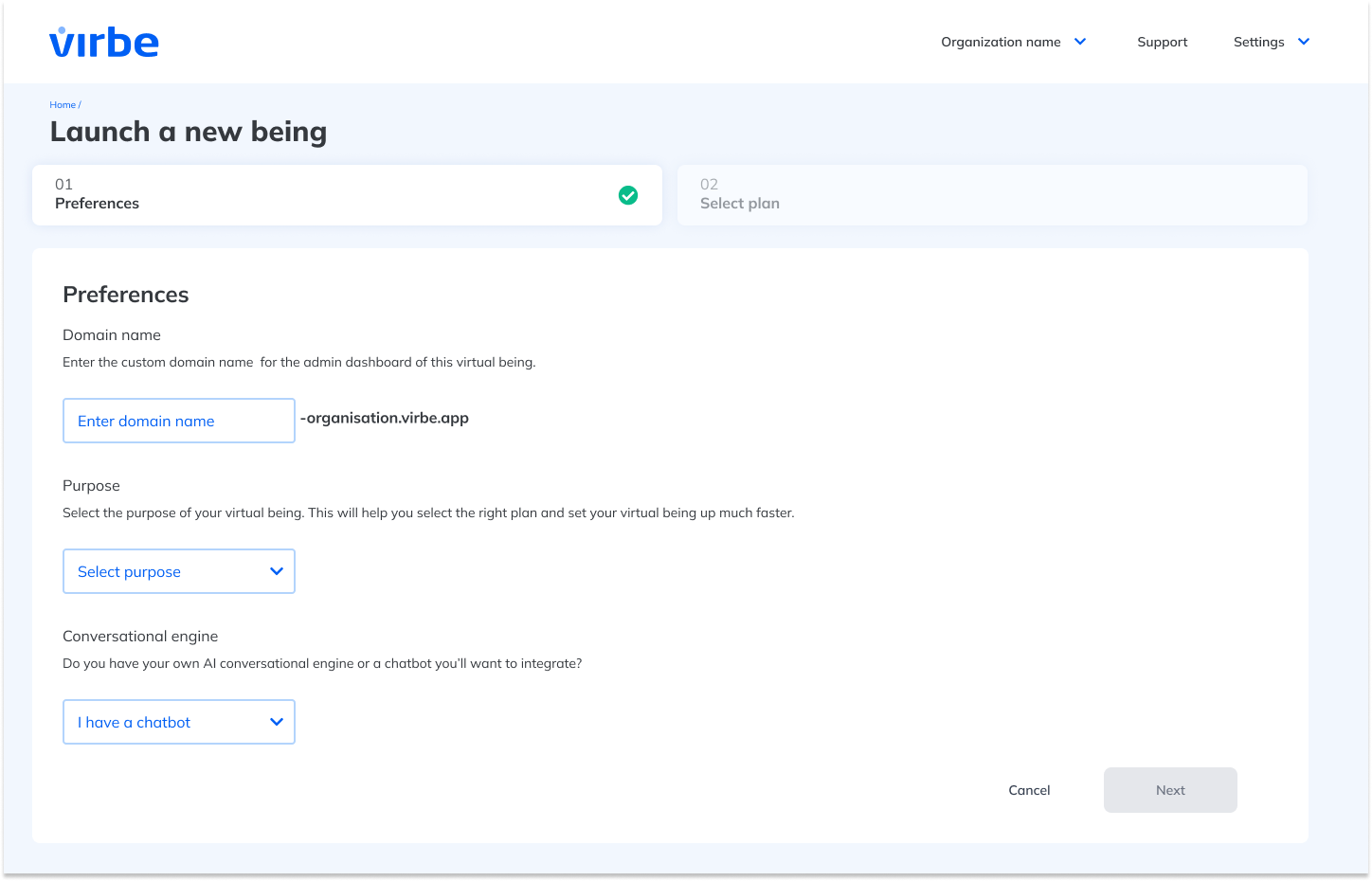
You will be prompted to select initial preferences for your virtual being. This includes under what domain it will be launched, its purpose, and information about conversational engine.
Launching a new being: preferences
#### Step 2: Select Plan
Choose a hosting plan that fits your needs. Virbe offers a variety of plans to accommodate businesses of all sizes. Consider factors like expected traffic, interaction complexity, and support needs when making your selection.
To view currently offered pricing plans, [refer to our website.](https://virbe.ai/get-started)
### 3. Wait for the launch to complete
After completing the setup, we'll launch all the resources necessary to bring the virtual being to life. This process typically takes a few minutes (up to 10). You can use this time to explore the Virbe platform or plan your virtual being’s first interactions.
Once the launching process is complete, you will see the status change from "Provisioning" to "Active" and your new virtual being's dedicated dashboard will be ready.
Use the dashboard to manage all the settings and capabilities of the virtual being, such as its appearance, voice, languages and, perhaps most importantly, configuring all its knowledge (you'll find more about it in the chapter about our [proprietary conversational engine Virbe AI Editor](broken://pages/fL10YAyRu1JxRtUiyRlc)).
Congratulations! Your virtual being is now live and ready to interact with your audience. Time to customize your virtual being! To read more on that, [go to the section on "Configuration"](/dashboard-management/dashboard-architecture.md).